ACCOUNT MAPPING

THE PROBLEM
Manual Account Mapping Is Killing Your Partnership ROI
Partnership teams waste hundreds of hours every quarter on a process that shouldn't exist: manually comparing spreadsheets to find account overlap with partners.

Weeks Wasted on Manual Work
Export customer lists from your CRM, email sensitive data back and forth, manually scan thousands of rows for matching company names. Repeat every month because data is instantly outdated.

Missed Opportunities Daily
By the time you finish mapping accounts manually, the data is already stale. Partners have moved on, deals have closed, and opportunities have slipped through.

Security Risks Everywhere
Sharing sensitive customer data via email creates massive security vulnerabilities. One wrong recipient and your entire customer list is exposed.
THE SOLUTION
Automated Account Mapping That Works in Minutes
Connect your CRM once, invite partners, and let Airstride surface every opportunity automatically
Access Mapping Dashboard
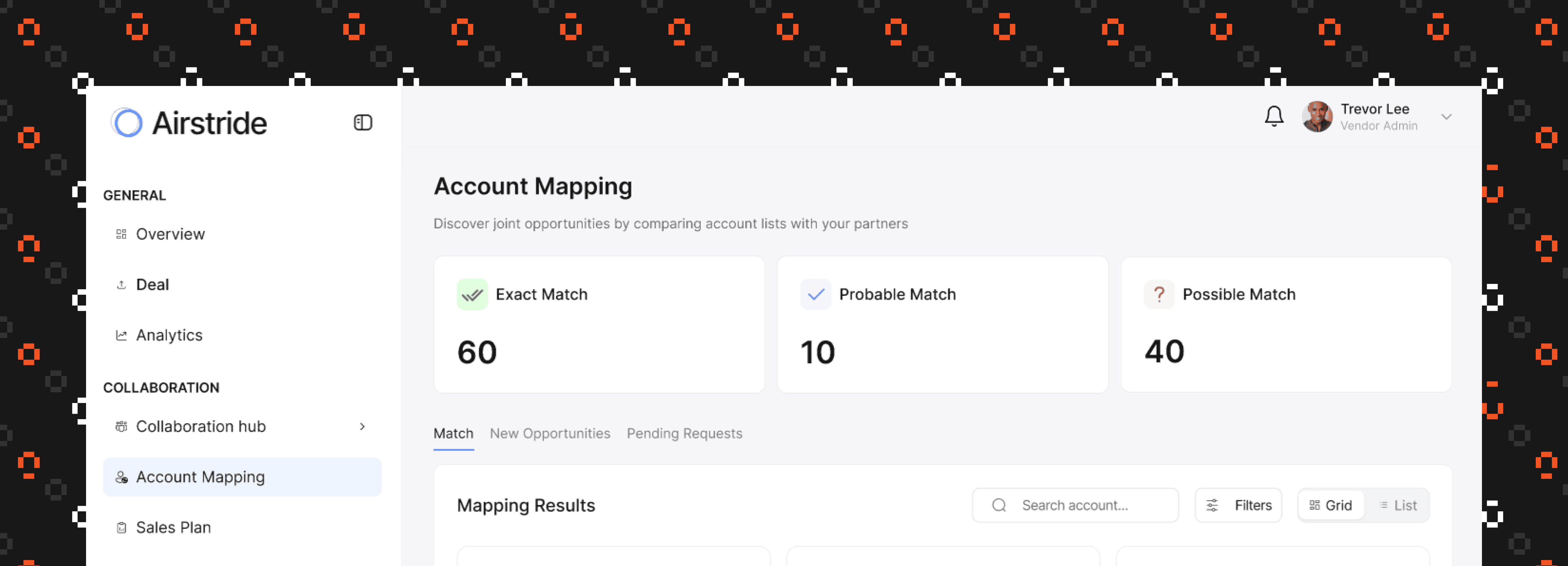
Log in to your Airstride workspace and navigate to the Account Mapping section from the main menu.
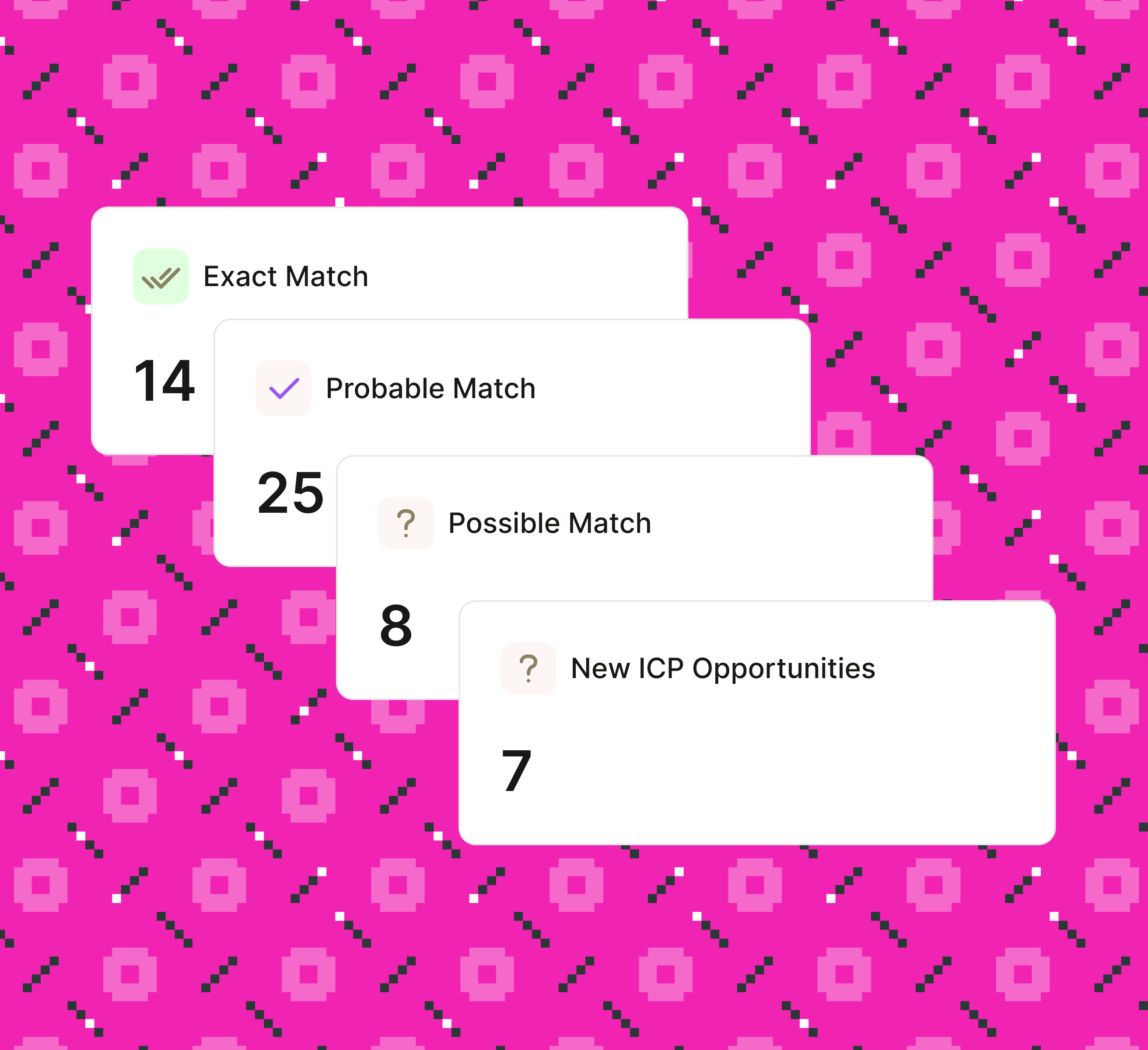
View your mapping dashboard with four opportunity categories
See Exact, Probable, Possible Matches and New ICP Opportunities
All categories show zero on first access, ready for your first mapping
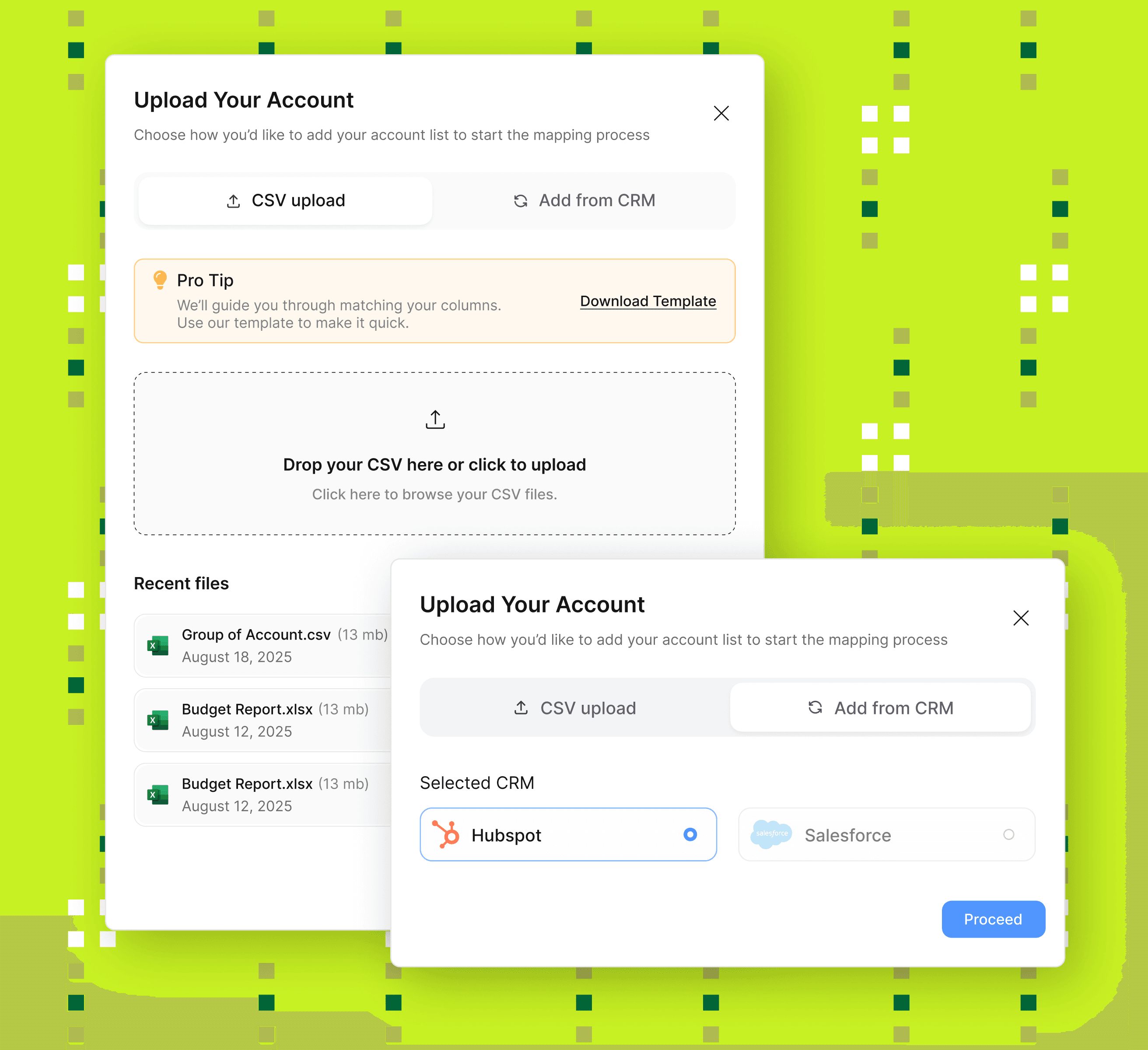
Real-time CRM sync (Salesforce, HubSpot) keeps data fresh automatically
CSV upload supports files up to 10MB with guided field mapping
Download our template if you need help formatting your account list
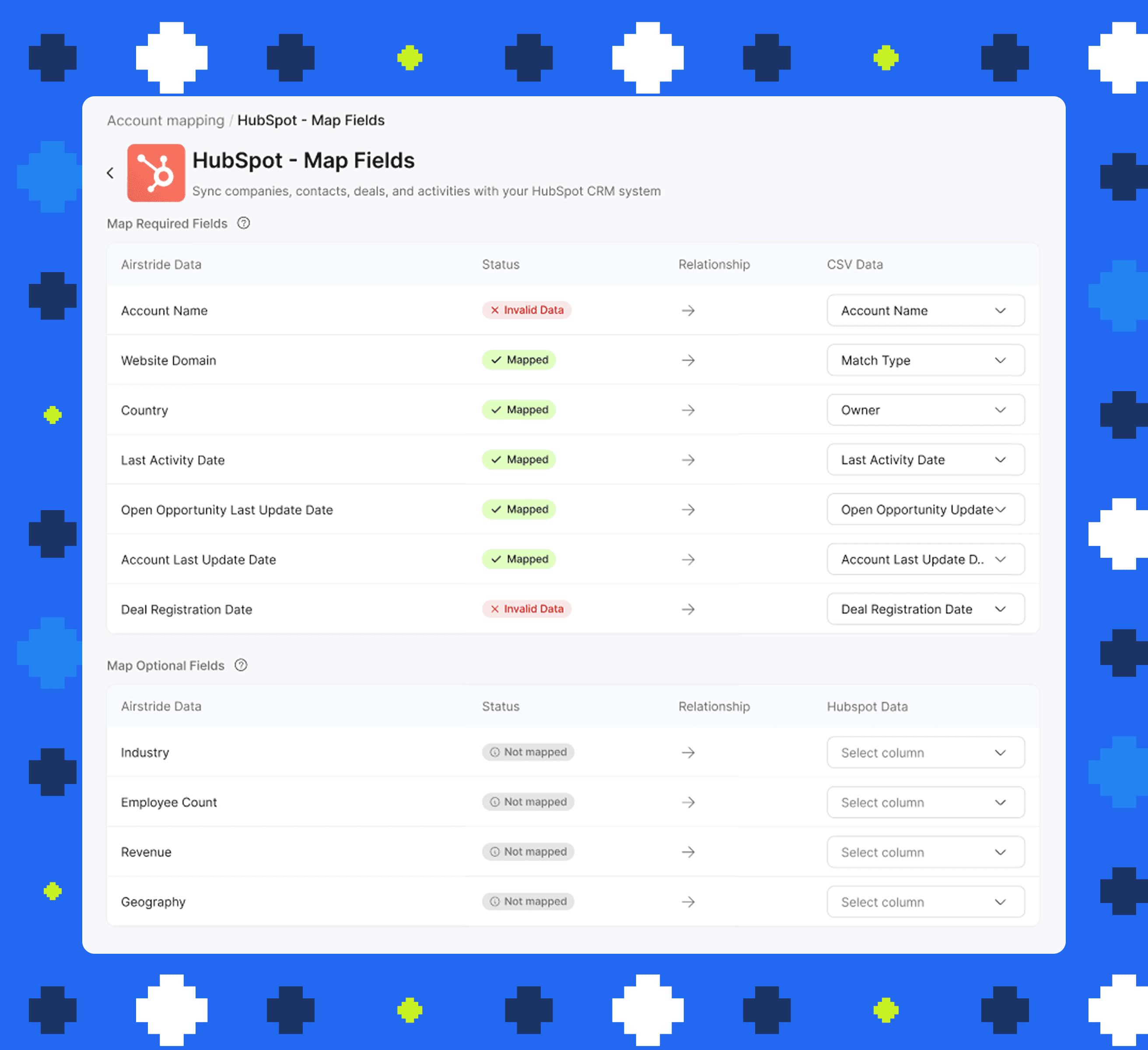
Required fields auto-map instantly
Optional fields improve match quality
Manual override available for any field that needs adjustment
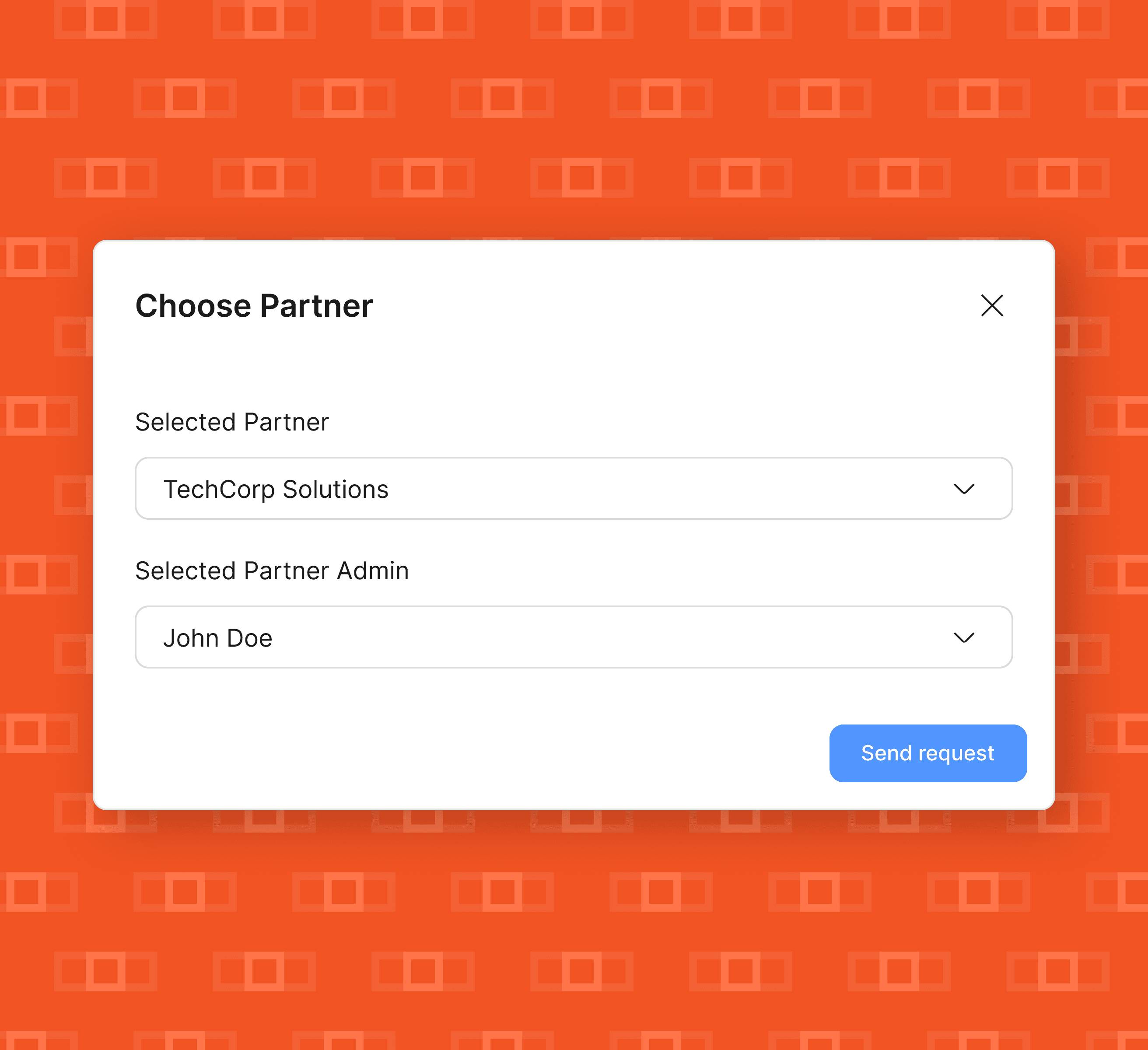
Choose partner organization and contact person from your list
Partner receives secure invitation via email and Airstride notification
Your account data stays completely private until they accept
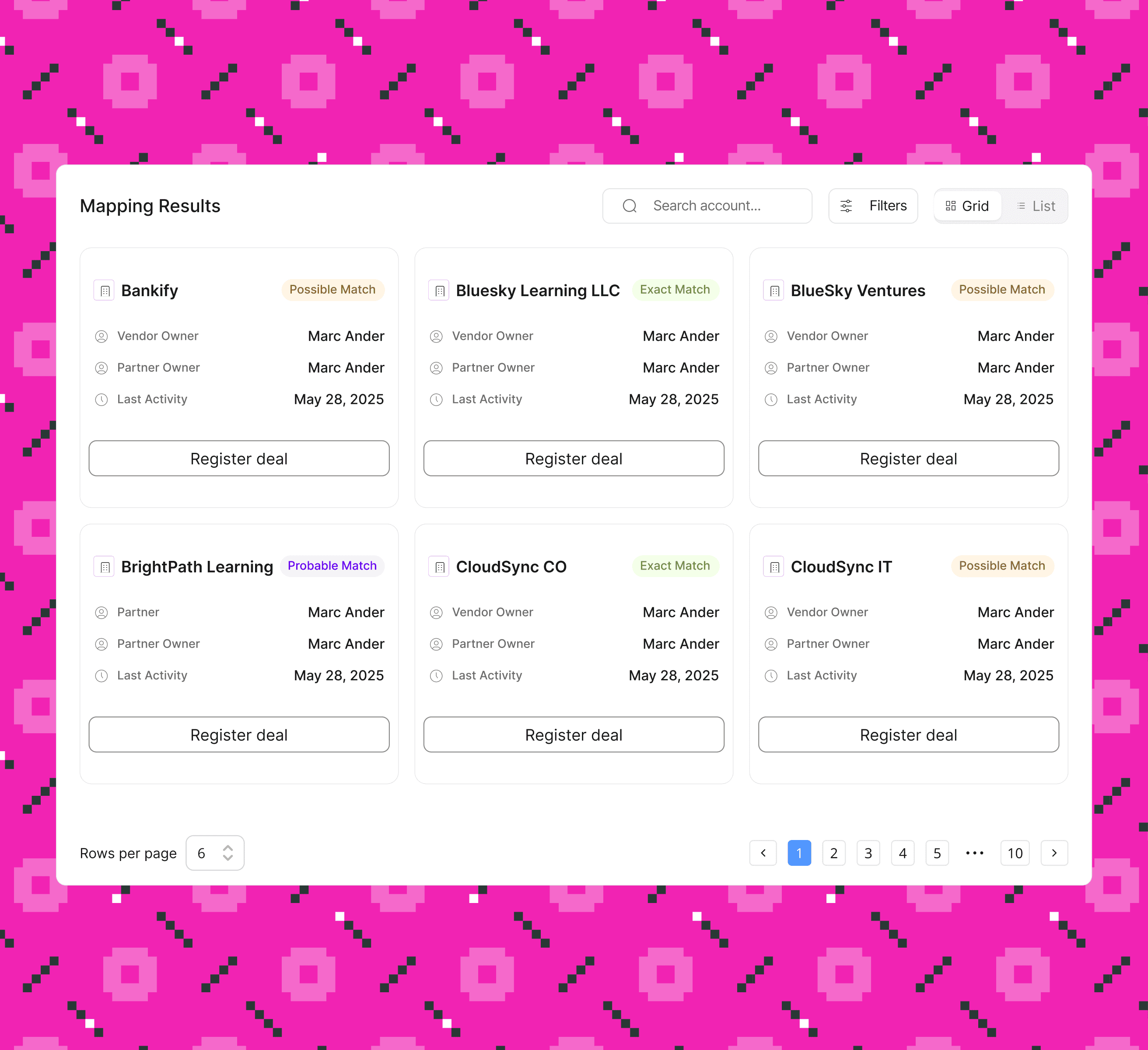
See Exact, Probable, and Possible matches with confidence scores
Discover New ICP Opportunities from your partner's customer base
Register deals directly from match cards with one click
Do you have other questions you'd like to ask? Please click on the button below.