For you
Why we built this
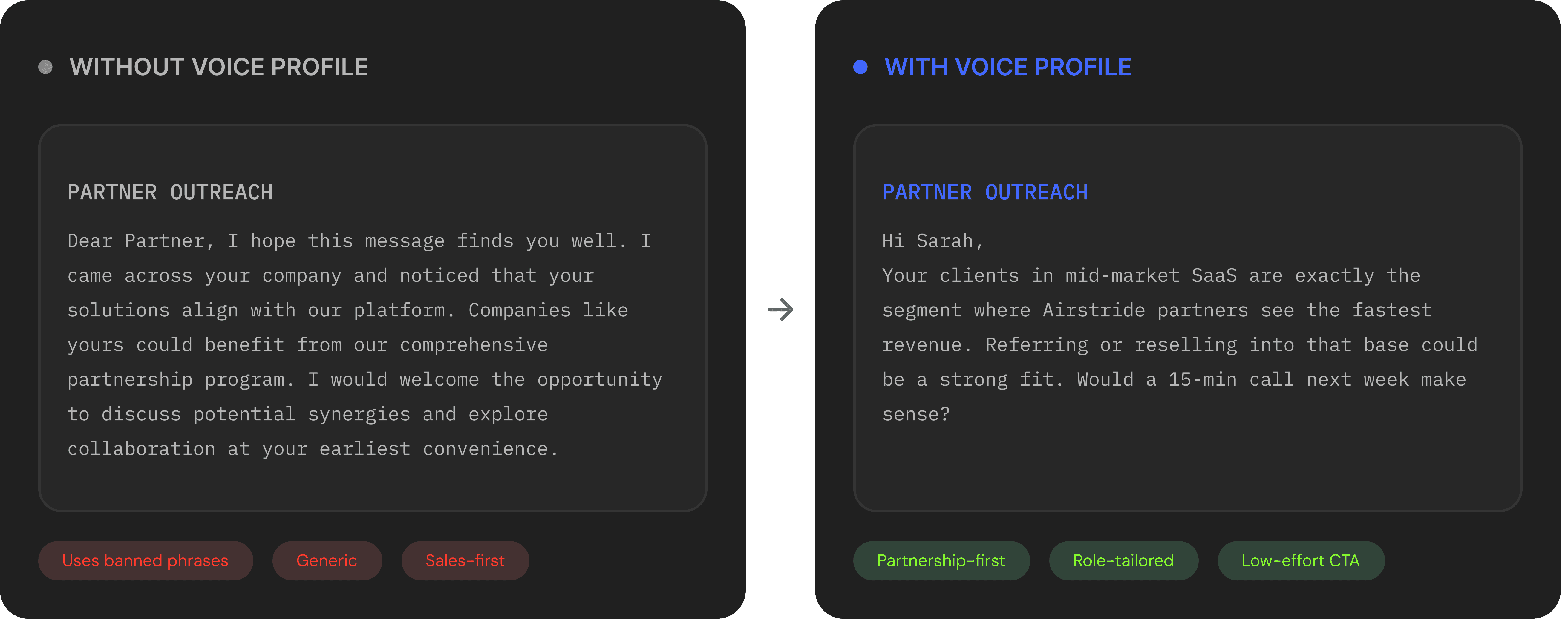
AI-generated outreach has a problem: it all sounds the same. Generic greetings, predictable structures, and cliché phrases like "I hope this finds you well" that partners can spot instantly. The result? Low reply rates and eroded trust.
Your team already knows what works, the phrases that land, the tone that resonates, the openers that get replies. The problem was that Carmen couldn't learn any of it. Every message started from a blank slate, defaulting to safe, generic copy that didn't sound like you.
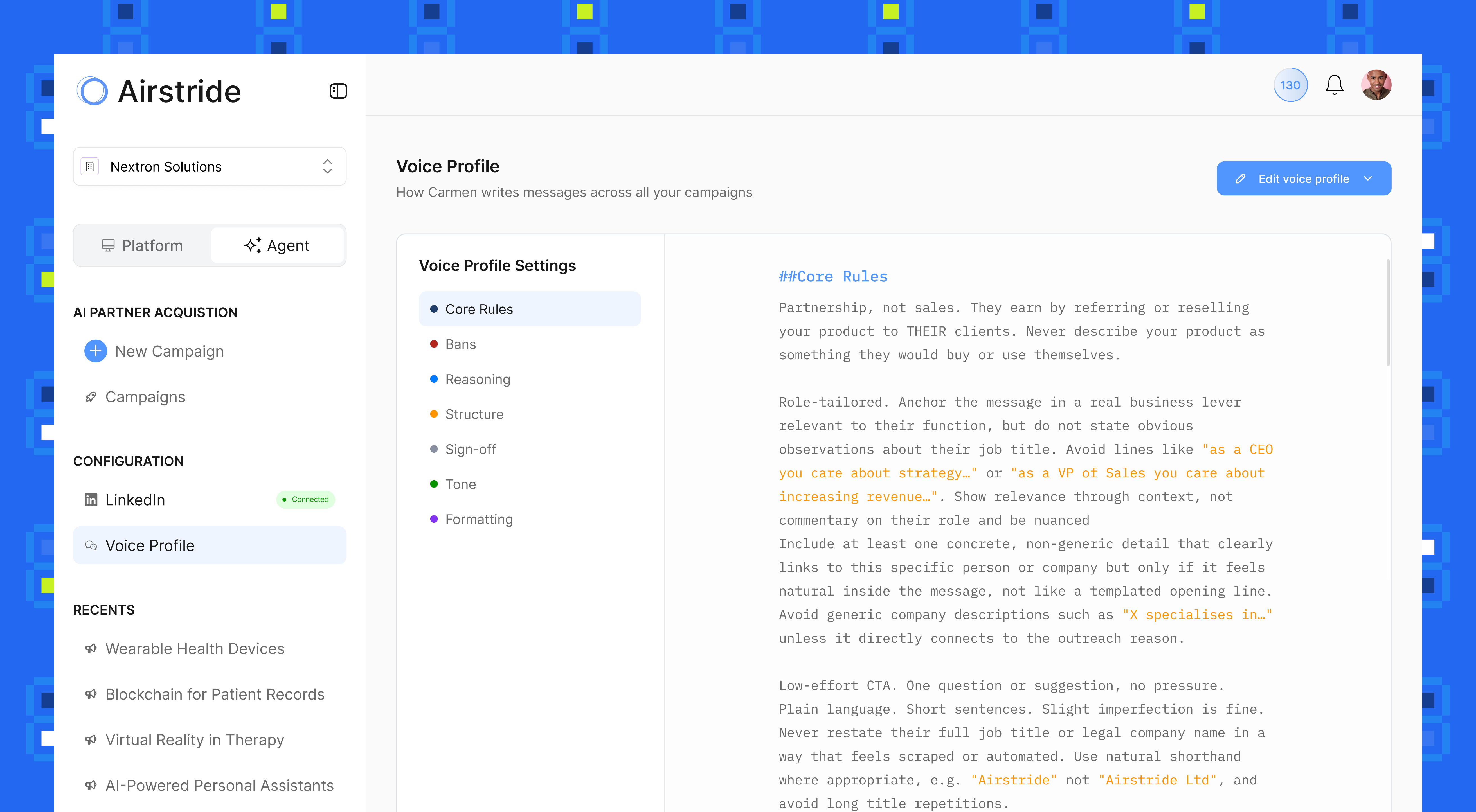
Voice Profile changes that. Define your writing rules, what to say, what to never say, how to structure messages, what tone to use and Carmen follows them across every outreach campaign. It's not a tone slider. It's a full writing system that makes Carmen sound like your best rep.
What's Included
A complete writing rule system
Voice Profile gives you granular control over how Carmen writes from core messaging principles down to banned phrases.

7 Rule Categories
Define Core Rules, Bans, Reasoning, Structure, Sign-off, Tone, and Formatting. Each controlling a specific dimension of how Carmen writes.

Banned Phrases
Explicitly block generic AI phrases like "I hope this finds you well" or "Companies like yours." Carmen will never use them, guaranteed.

Edit with AI or Manually
Paste your rules directly or let Carmen's AI help you generate them. Either way, you stay in full control of the final output.
The Transformation
SETUP
Live in three steps. No engineering required.
Configure your voice profile from settings. It takes minutes, and applies to every campaign Carmen runs.
01
Open Voice Profile
Navigate to Configuration → Voice Profile. Carmen will prompt you to set up your writing rules for the first time.
Configuration → Voice Profile
02
Define Your Rules
Use "Edit with AI" to generate rules from a description of your style, or "Edit manually" to paste your own rules across all 7 categories.
Edit with AI ✦ or Edit manually ✎
03
Carmen Follows Them
Every outreach campaign Carmen generates from connection requests to follow-ups and introductions, now follows your voice profile.
Applies to all campaigns
Join 2,000+ partnership teams. Unsubscribe anytime.