
Never Miss a Deal Again.
Get instant deal registration notifications in Slack and Email. Approve, reject, or request more info, right where your team already works.
Why we built this
Deals don’t wait for you to check your dashboard. A partner registers a deal at 2pm, and if nobody sees it until the next morning, that’s hours of momentum lost and a partner wondering if anyone’s paying attention.
Before this update, the only way to know about new deal registrations was to log into Airstride and look. No alerts, no pings, no urgency signal. For teams running 10+ partner deals a week, that’s a real problem.
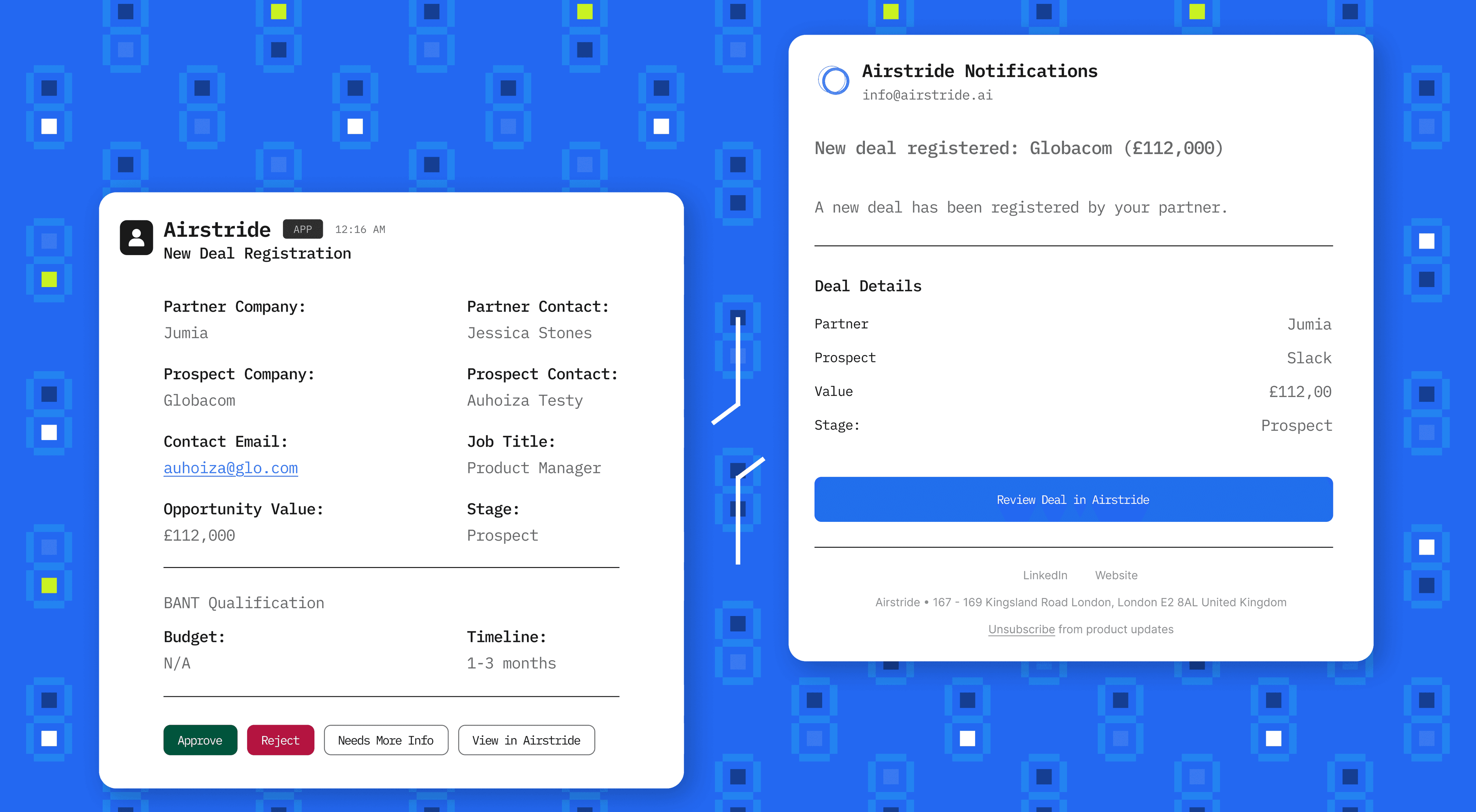
Now, every deal registration triggers an instant notification to your Slack channel and email inbox. You see the partner, the prospect, the value, and the stage and you can approve, reject, or request more info directly from Slack without ever opening Airstride.
Three channels, zero blind spots
Choose how you want to be notified. Every channel gives you the full deal context and lets you take action immediately.
Slack Notifications
Deal registrations post directly to your chosen Slack channel with full details and action buttons. Approve, Reject, Needs More Info, or View in Airstride.
Email Notifications
Get an email the moment a partner registers a deal. See the partner, prospect, value, and stage at a glance, then click through to review in Airstride.
In-App Notifications
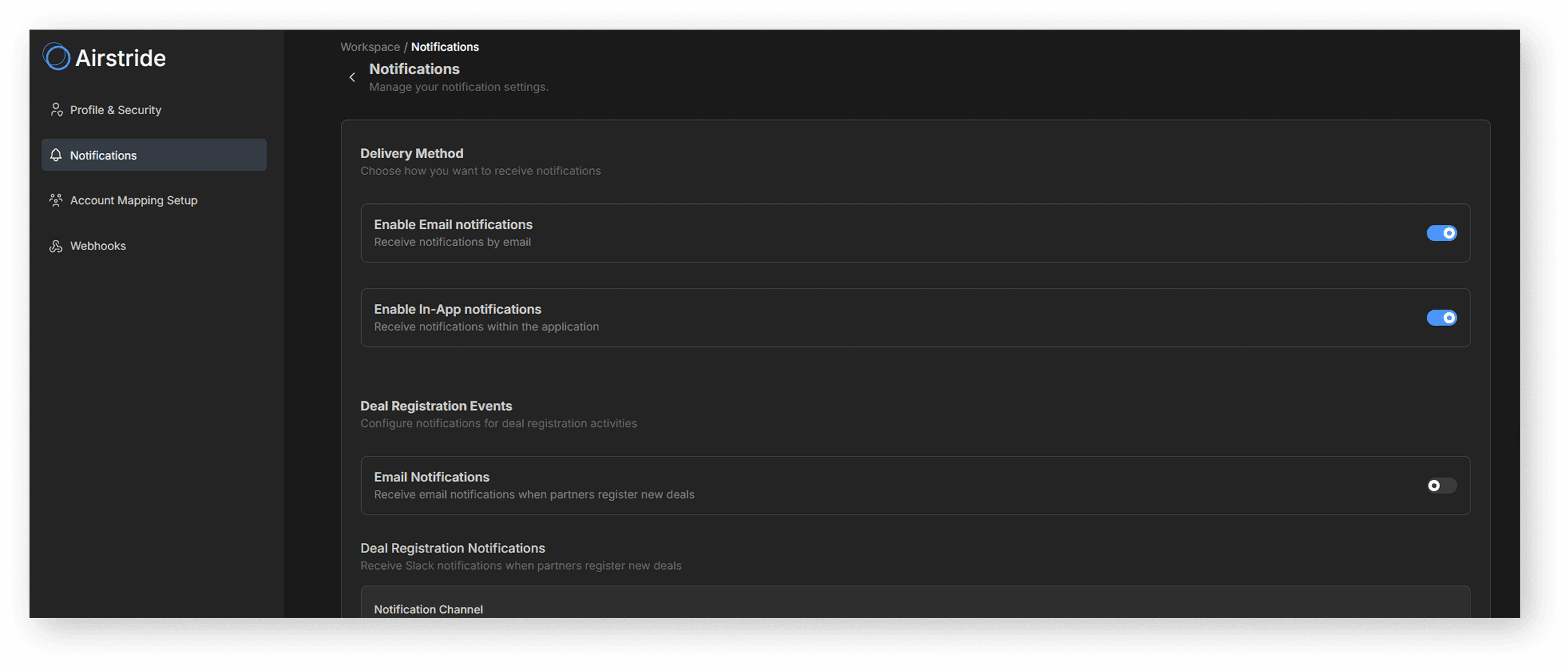
A notification badge appears inside Airstride when new deals are registered. Toggle it on or off independently from email and Slack delivery.
Full control from one settings page
Toggle each notification channel on or off. Pick your Slack channel. Configure which events trigger alerts. All from Workspace.
Connected in three steps. Under five minutes.
Connect Slack from the App Centre, configure your permissions, and choose which channel gets the notifications.
Connect Slack
Go to App Centre → Slack and click Connect. Authorise Airstride to access your workspace via Slack’s standard OAuth flow.
App Centre → Communication → SlackSet Permissions
Choose which data permissions to grant — Send Messages and View Users are the essentials for deal notifications to work.
Send Messages + View UsersChoose Your Channel
Pick the Slack channel for deal registration alerts, toggle notifications on, and save. Email and in-app notifications are configured separately under Workspace → Notifications.
Workspace → Notifications