
Airstride Is Now in the Attio App Directory
Attio teams can find Airstride inside the tool they already pay for, and connect partner deal sync with a workspace key

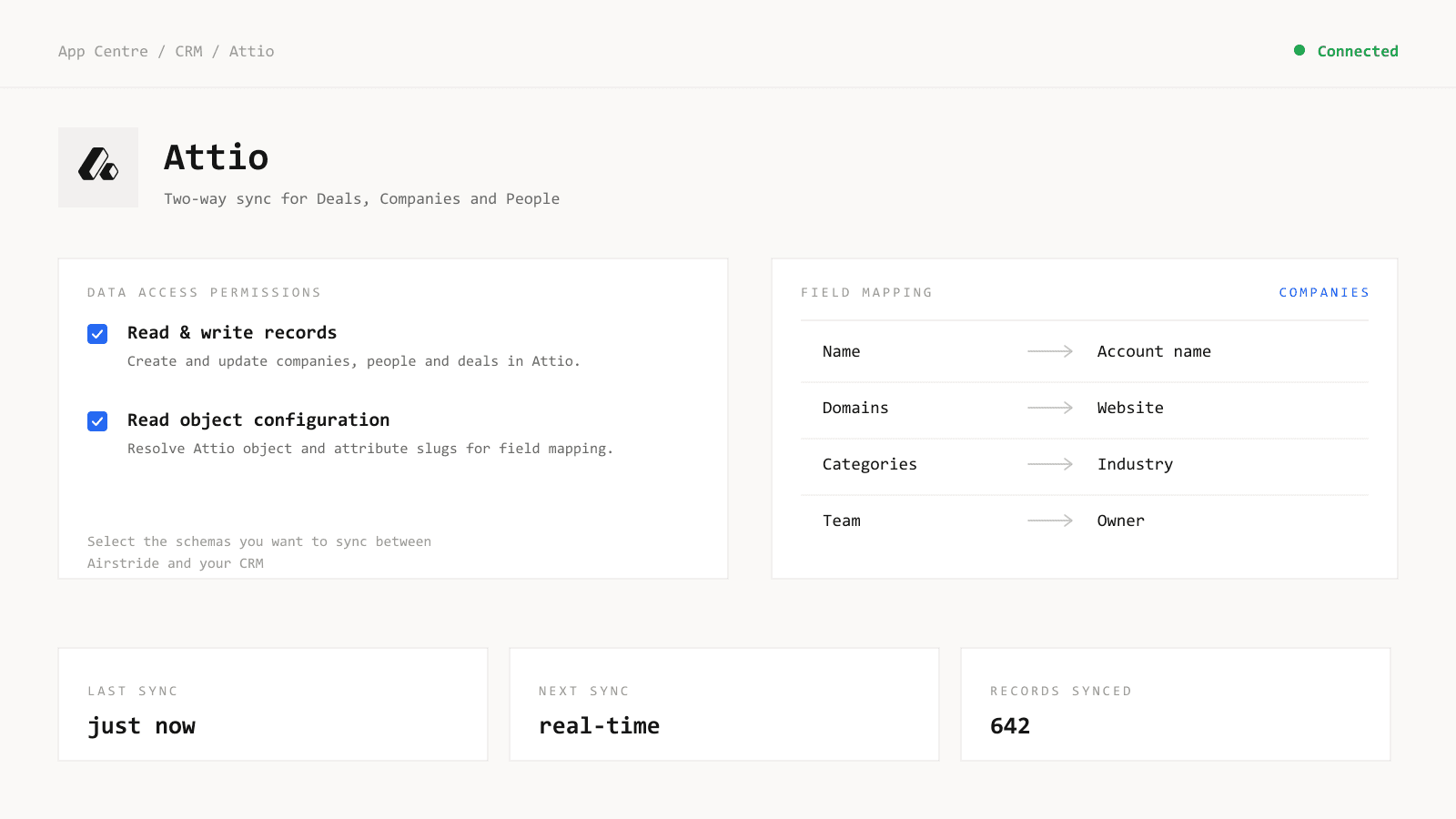
Airstride is now listed in the Attio app directory. If your revenue team runs on Attio, you can read the listing on Attio's own site, connect your workspace with an API key, and have partner deals writing into Attio a minute later.
Why does a directory listing matter?
The PRM category has spent fifteen years building around Salesforce and HubSpot. Every incumbent still assumes that is where your revenue data sits. The teams starting partner programs this year are on Attio, folk and Zoho, and most partner tools treat those as a roadmap item or skip them entirely.
A listing is the version of that claim we do not control. An Attio customer looking for partner tooling now finds us inside the product they already opened this morning, instead of taking our word for it on our own site.
What does the Attio integration do?
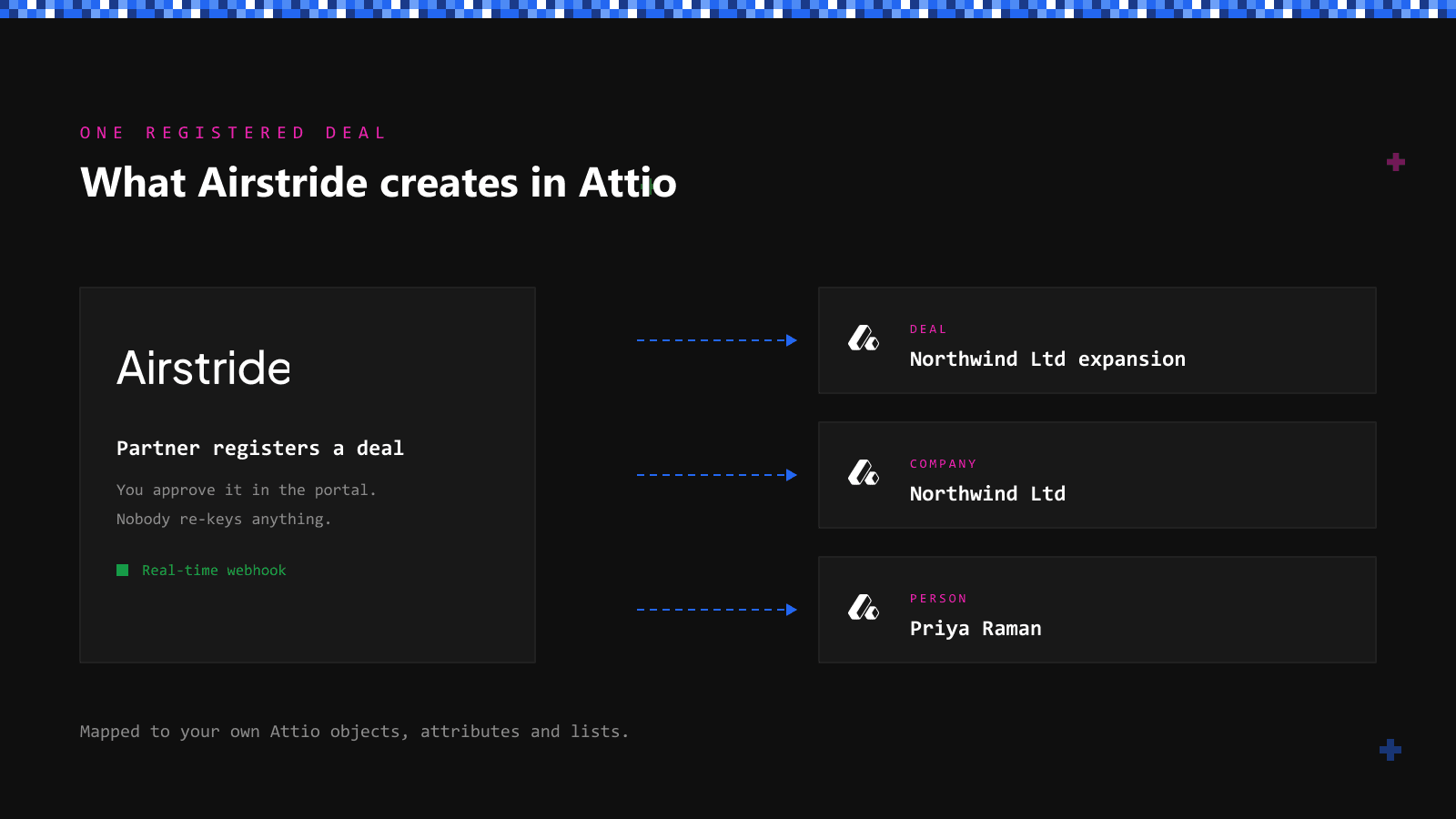
Airstride syncs partner deals to Attio in both directions and in real time. Register a deal in Airstride and it creates the matching Deal, Company and Person records in Attio, mapped to your own objects, attributes and lists. Move a record in Attio and Airstride reflects it within seconds.
Setup is a workspace API key. Generate it in Attio under Workspace settings, Developers. Paste it into Airstride's App Centre and choose your permissions. Airstride reads your object configuration and resolves the attribute slugs itself, so the field map arrives populated and your first job is to check it rather than build it. Custom attributes turn up ready to pair.
Field-level permissions decide what each partner tier can see: stage, value, contacts, notes, custom fields. The same rules hold in the portal, in Slack, over the API and in every export.
The PRM category still assumes your CRM is Salesforce. We assume you picked the CRM you actually wanted.
Can partners map accounts from their own Attio?
Yes. A partner connects their own Attio workspace and maps accounts straight from it, rather than exporting a list and emailing you a spreadsheet that is stale by Thursday. Airstride reads only the account list they agree to share. It writes nothing back into their Attio and it does not read their deals.
That works today for partners on Attio, HubSpot or Salesforce. Partners on anything else upload a list, which takes the same five minutes it always did.
Why seven connectors and not forty?
We ship seven CRM connectors: Attio, folk, Zoho, HubSpot, Salesforce, Pipedrive and Dynamics 365. Seven is a small number and we are happy with it. Each one reads the schema you actually built instead of flattening your data onto a generic Company and Contact shape.
Attio was worth doing properly because its data model is the reason people pick it. You create objects for the things your business runs on: partners, resellers, workspaces, investors. A connector that ignored all of that would be worse than no connector, so ours resolves your objects and attributes as you defined them.
Live in 24 hours
Connecting Attio is one step of a setup we run for you. Partner data migrated from your CRM, PRM or spreadsheets. Collateral connected. Portal white-labelled to your brand, SSO configured, activation agent trained, partners invited.
Signature to partners onboarding inside a day. Your first session is a review of a populated portal, not an afternoon of data entry.
Key Takeaways
If your team runs on Attio, the partner side of your revenue no longer has to live somewhere else. The listing sits on Attio's site, the connector takes a workspace key, and every deal your partners register lands as a real Deal, Company and Person record in the workspace you already have open. Go and read the listing, then let us do the rest of the setup.
