
Stop Refreshing. Let Work Find You.
Click the bell from any page and see everything Airstride is running. Live progress, ETAs, sub-tasks, and completed work, all in one place.
Why we built this
Airstride runs a lot of work in the background. It scores partners, enriches contacts, looks up phone numbers, and writes your weekly plan review. Until now, the only way to know what was happening was to land on the right page and watch a spinner, or close the tab and hope you’d remember to check back. Async work disappeared the moment you navigated away.
The activity feed fixes that. Every long-running operation reports its state to a live panel you can pull down from any screen. Progress, sub-tasks, rate, ETA, all visible. You still drive the work. You just stop having to babysit it.
Everything Airstride is doing, on one screen
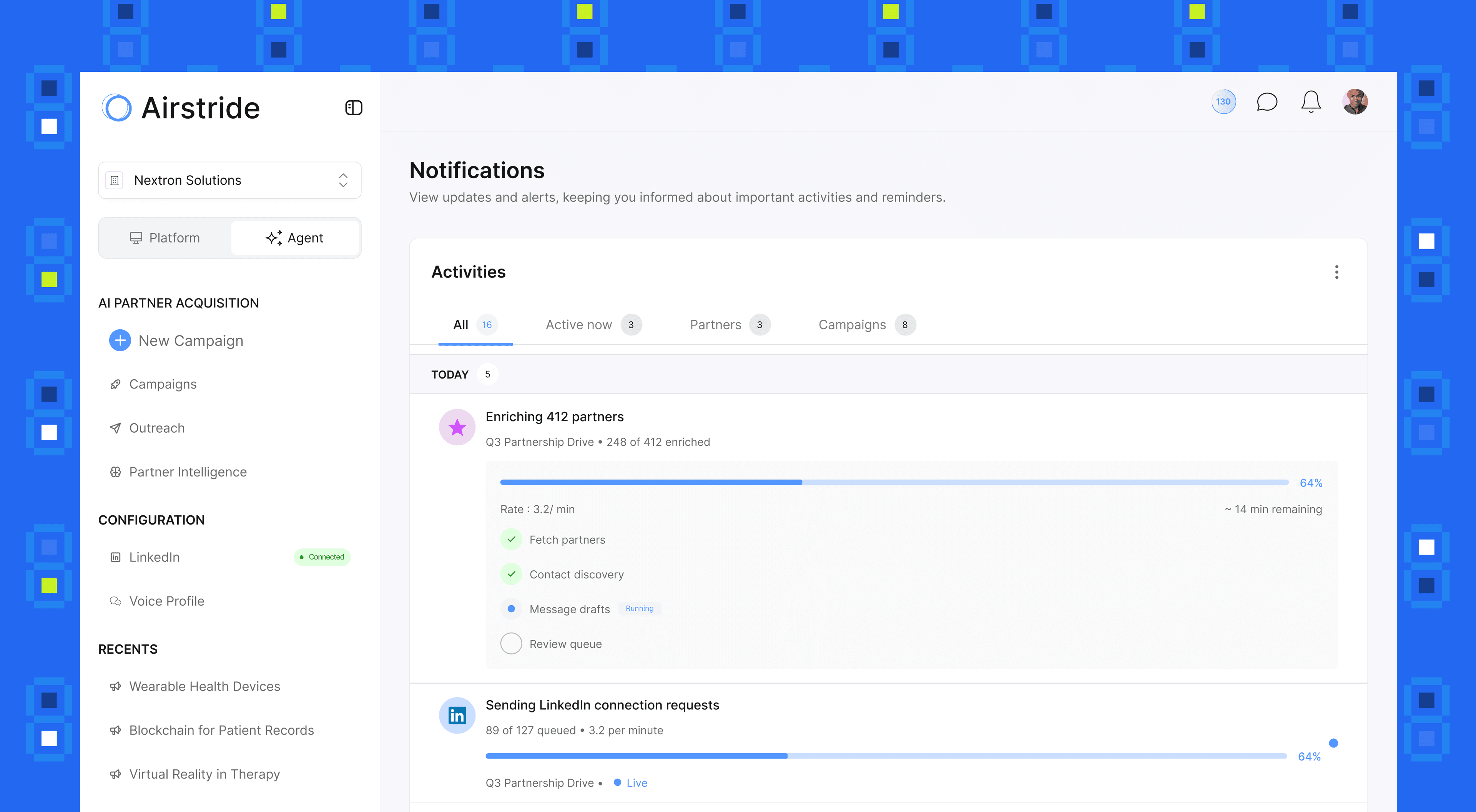
Pull the bell down from any page and see live work, completed milestones, and the partners and contacts behind them.
A live feed of everything in flight
Click the bell in the top nav and see what Airstride is doing right now: contacts enriching, partner scores refreshing, and partners accepting invitations. Tabs scope the feed to Active now, Partners, or Campaigns.
Real progress, not vague spinners
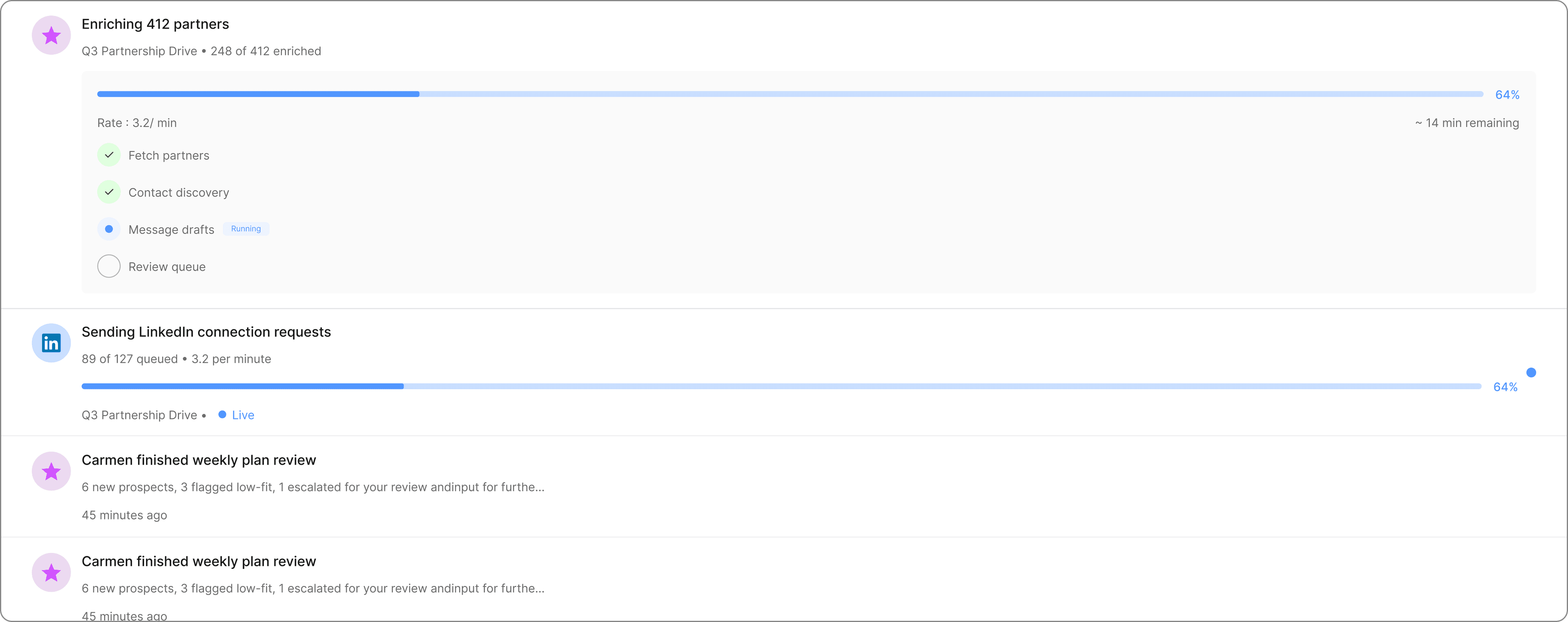
Each running activity shows a live progress bar, percentage, rate per minute, ETA, and a sub-task checklist. Fetch partners done, contact discovery done, message drafts running, review queue pending. No more guessing whether work is stuck.
One-click phone numbers on Key Contacts
Each Key Contact on the partner page has a Get phone number button. Click once, walk away, and the lookup surfaces in the feed when verified, usually within 12 to 90 seconds. One enrichment per contact per 24 hours.
From watch the spinner to read the bell
You don’t have to watch the spinner. The bell tells you when it’s done.
Three steps. Open, watch, drill in.
The bell lives in the top nav on every screen. Pull it open whenever, from wherever.
Open the bell
Click the bell icon in the top navigation from any page. The Notifications panel slides in with today’s activity grouped at the top and tab counters for Active now, Partners, and Campaigns.
Top nav → bellWatch the progress, not the page
Each running activity shows a live progress bar, percentage, rate per minute, ETA, and a sub-task checklist. You can see which phase is running and how long until it finishes without leaving the page you’re on.
Progress, rate, ETA, sub-tasksDrill in or zoom out
Click any notification to jump to the campaign, partner, or contact it belongs to. Click Open all for the full Notifications page, a chronological history across today, yesterday, and earlier.
Open all → full history